FR - Citrix Workspace App - Désinstallation
If you have an older version of Citrix Workspace App, in order to install the new version correctly, you should have to uninstall the older one.
1 - Process to Uninstall Citrix Workspace App on Windows 11 :
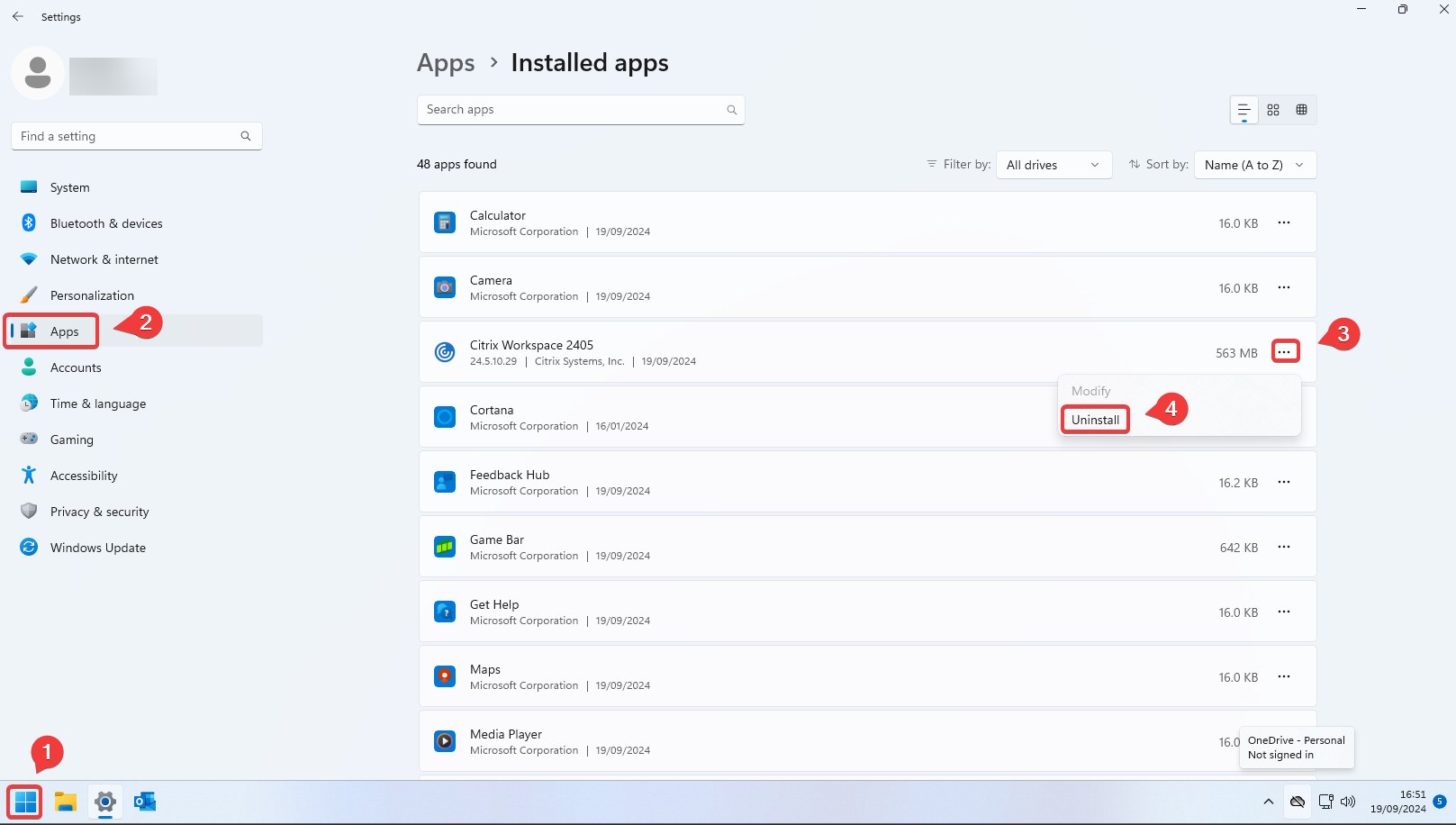
1 : Click on the Start menu icon
2 : Go to "Apps"
3 : Click on the 3 dots of the Citrix Workspace App you want to uninstall
4 : Click on "Uninstall"
2 - Process to Uninstall Citrix Workspace App on Windows 10 :
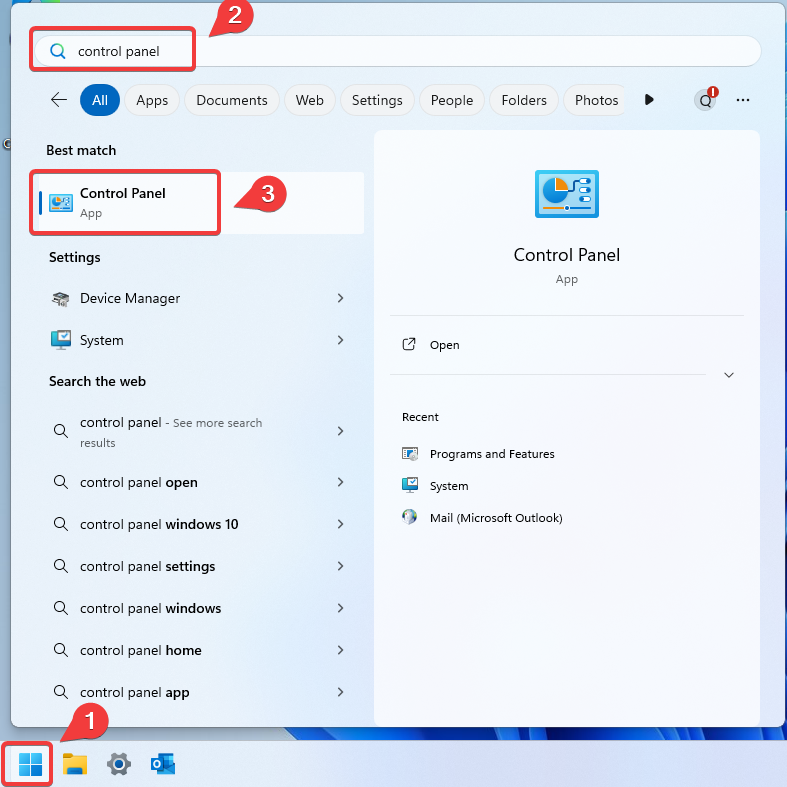
1 : Click on the Start menu icon
2 : Search for "Control Panel"
3 : Click on the "Control Panel"
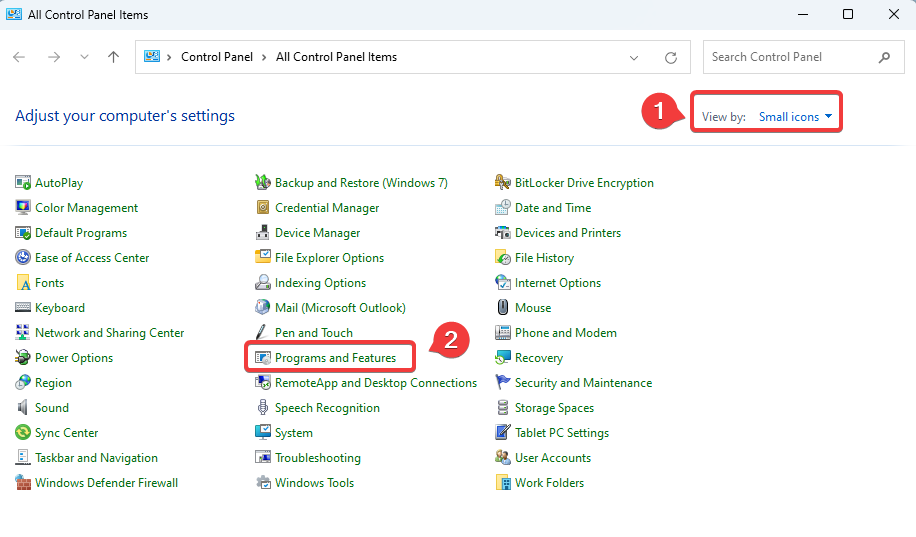
Now simply :
1 : Select "Small icons" in the View by
2 : Then click on "Programs and Features
From the list of installed programs, simply :
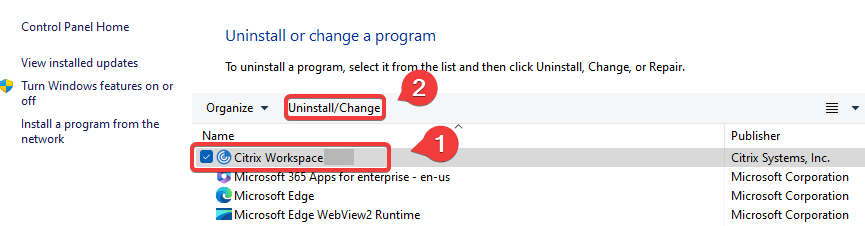
1 : Select "Citrix Workspace App version xxxx"
2 : Then click on "Uninstall/Change"