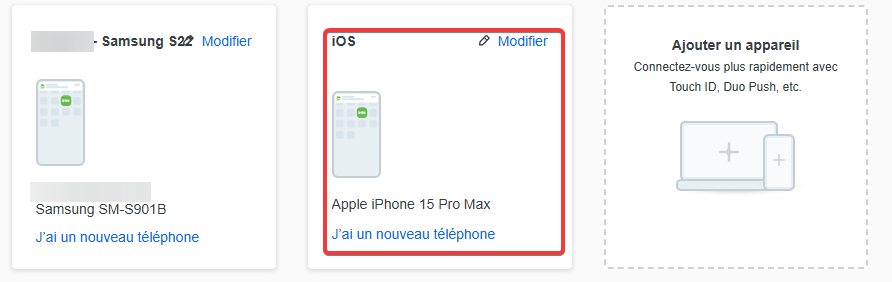
Add new device
Have you changed your phone? Want to add a new phone or device on your DUO account ?
You can easily add new devices directly from the Duo authentication prompt.
1. Access to DUO web interface
Login to your URL with the KissLabs secure access page
1 : URL
2 : User name
3 : Password
4: Login

2. Add a new device on your DUO account
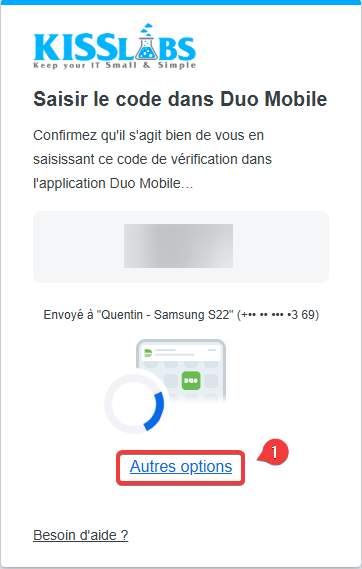
1 : Then click on “Others options” or Autres options"
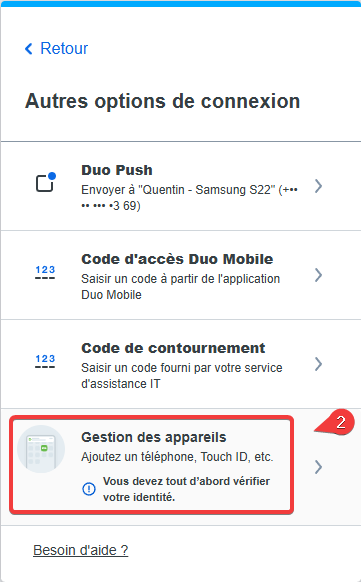
2 : Click on "Manage devices" or "Gestion des appareils"
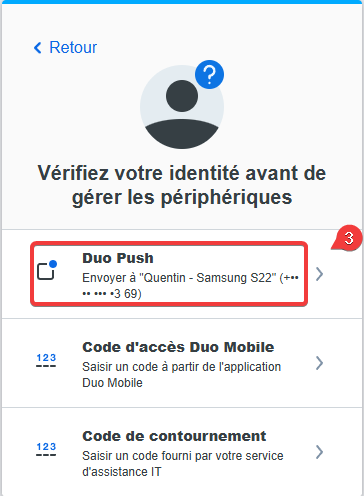
3 : Click on "DUO Push" to validate the access
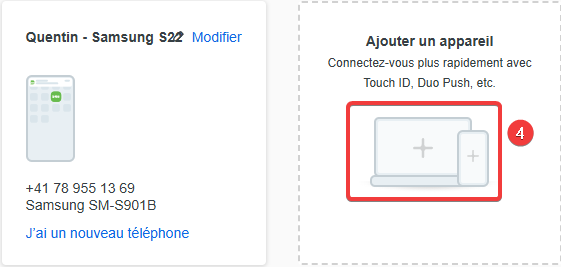
4 : Then click on "Add a new device" or "Ajouter un nouvel appareil"
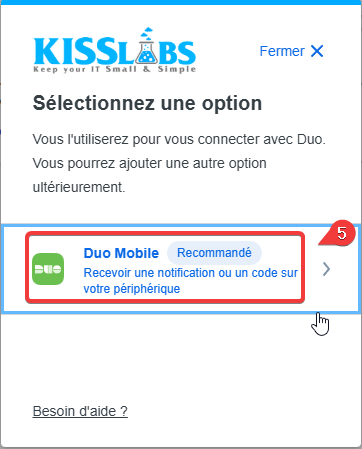
5 : Choose "Duo Mobile" to receive the notification
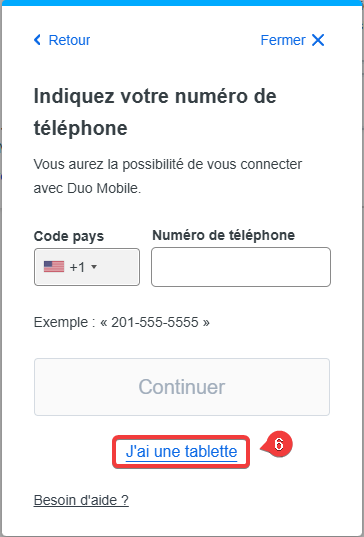
6 : Click on "I have a tablet" or "J'ai une tablette"
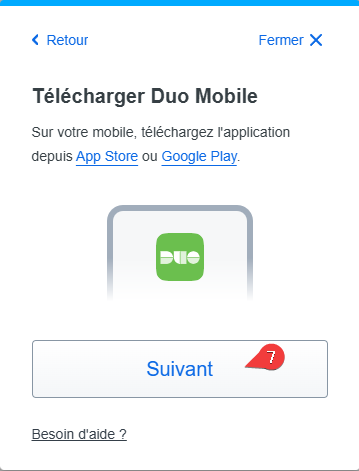
7: Download and install DUO Mobile form your new phone (Play store for Android or Apple Store for iPhone). Then click on "Next" or "Suivant"
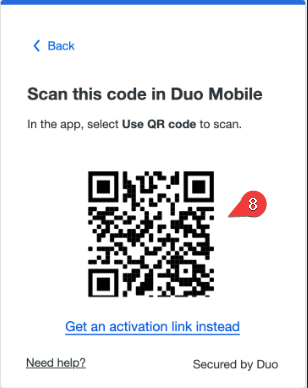
8: Open the Duo Mobile app on your phone or tablet and add this account by scanning the QR code shown on-screen.
Finaly your new device should be visible from your account and your shoudl be able to validate DUO push with this new device.