Skip to main content
KISSDOC
View All
Search
Shelves
Books
Log in
Info
Content
Books
Citrix
Citrix Virtual Desktop...
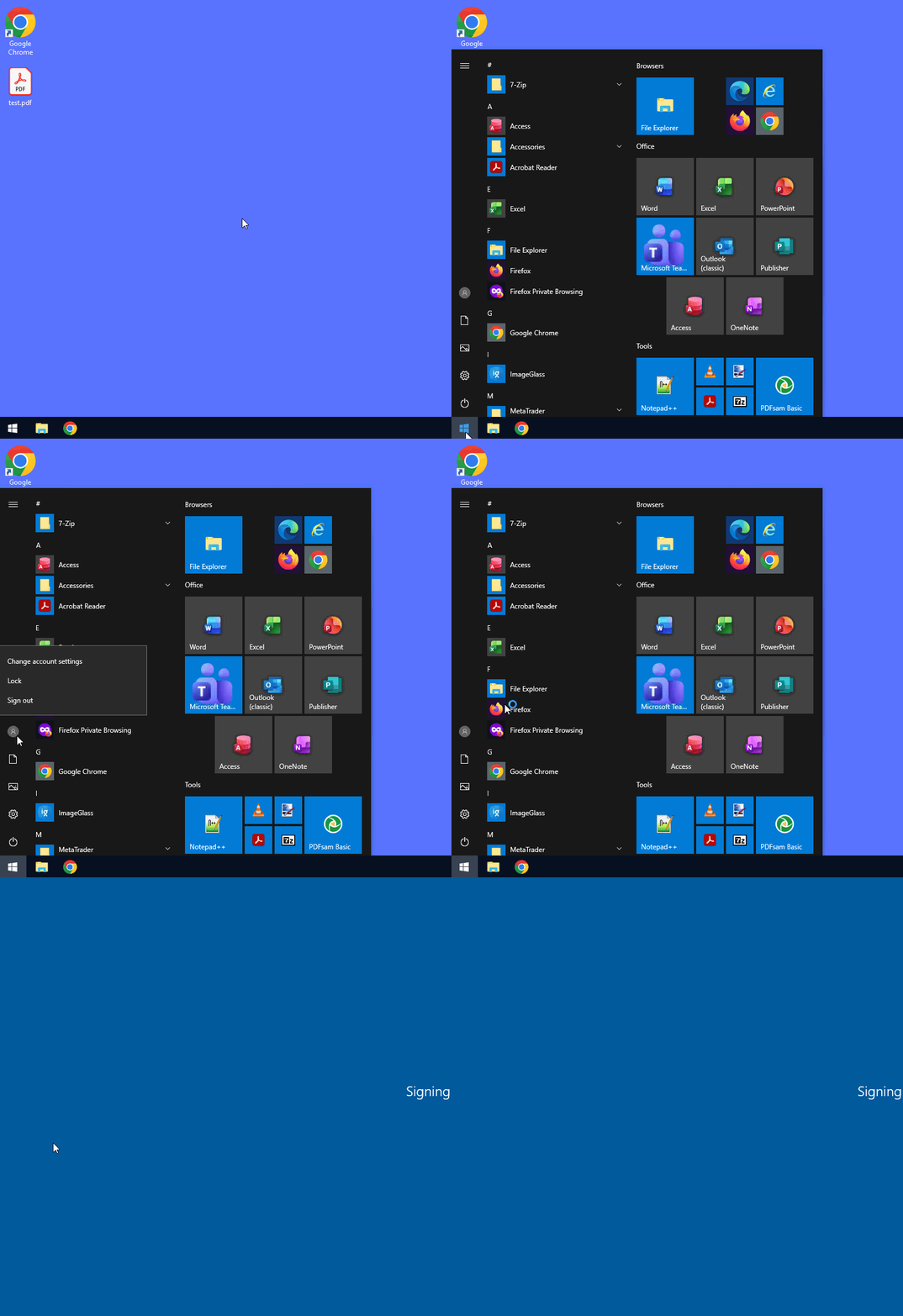
Citrix Virtual Desktop - Sign out user session
Click on the Windows flag in the bottom left corner of the start menu.
Then click on your profile icon.
Finally, click on “Sign out.”
Enter section select mode
Previous
Citrix Bureau Virtuel - Déconnexion session u...
Next
Citrix Bureau Virtuel - Etendre sur plusieurs...
Back to top