Citrix Workspace App - Windows - Refresh App - Quit Application
Sometimes, you are not able to access your application and Virtual Desktop from the Citrix Workspace application and receive the error message bellow :
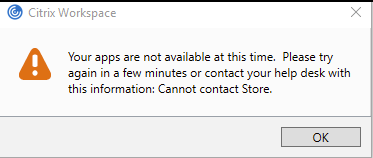
This most often happens when your computer changes network or disconnects and reconnects to the network.
To solve this problem, you can perform an application refresh in the Citrix Workspace by following the procedure below :
To solve this problem, you can perform an application refresh in the Citrix Workspace by following the procedure below :
Click the little up arrow at the bottom right of your screen, then right click on the Citrix Workspace icone and finally "Open"
Then simply refresh your application, you should be able to login again and access your virtual desktop.:
If it's not working, you will need to completely quit the citrix workspace application and relaunch it from the windows start menu:
Quit the Citrix Workspace App :
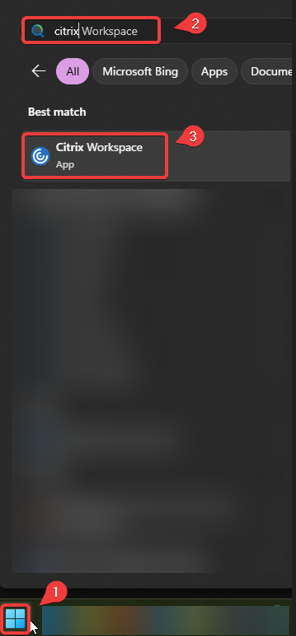
Relaunch the Citrix Workspace App :