
Password Reset - Citrix Virtual Desktop
If you already have an email account with KissLabs, the password is the same for both Citrix and Mail account.
1. Conenct to the reset password link
Directly connect on : https://connect.kisslabs.ch
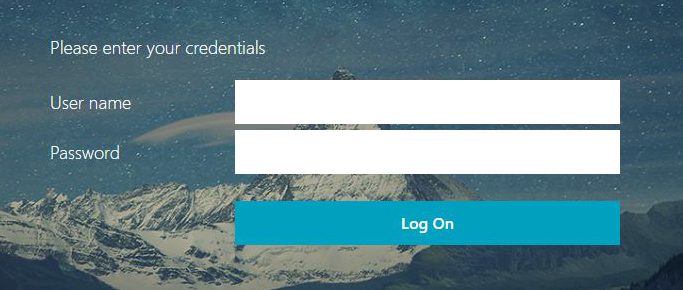
Enter your credentials (username = email address) then your password
DUO Push notification with 3 digit code :
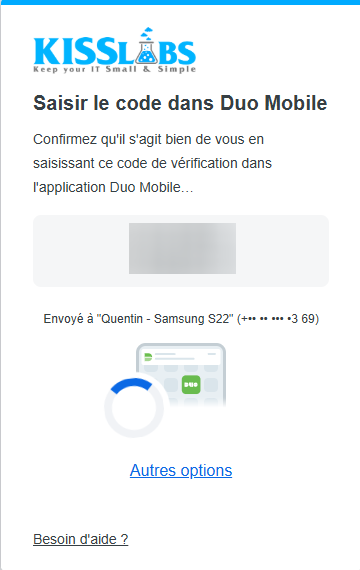
Enter the 3 digit code DUO on your phone to validate the request.
2. Change your password
As soon as you are connected, in the menu at the upper right corner, click on your name then "Account parameters" and choose "Change password" :
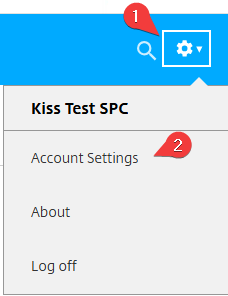
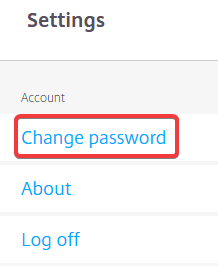
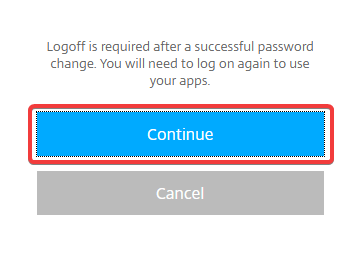
Then click on "Continue". To validate the change, you will have to reconnect after the password change.
3. Modifier le mot de passe actuel
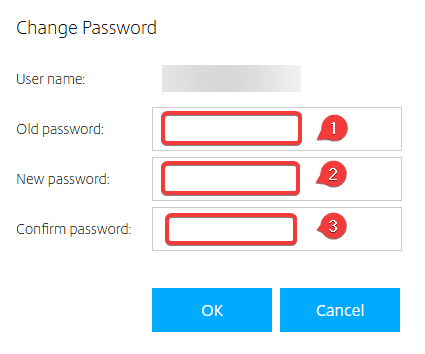
1 - Enter your actual/old password
2 - Enter your new password
3 - Confirm your new password
Then click on "OK"
You can verify the password you enter by clicking on : 
CAREFUL :
The new password should respect specific security requierements :
- At least 12 characters
- At least one upper case
- At least one digit
- At least one special character (*,-,/,+,$, ! … , Space is considered as a special characterl)
-> Your new password must not contain your Last Name, First Name and Domain